
There are two things B2B SaaS teams look for when we talk to them about product analytics:
-
Simplicity. They don't want tracking plan rabbit holes. No analyst bottlenecks. Just the ability to get set up quickly and have meaningful metrics.
-
Account health. They need to see account level data that indicates if key customers are drifting, spiking, or silently churning. And they want all this without waiting for a spreadsheet.
Product teams and analysts need pure product analytics. They want to see funnels and feature usage. Other teams need insights, account health, engagement scores, and drift detection.
If you're looking for a product analytics solution, customer engagement solution, or just account level customer insights. It's important to start your search with the job you're trying to get done.
What do you need your product data to do for you?
Focusing on the job you need to do makes it easier to pick the right tool for your work.
Which job below best describes your work?
| Job you need to get done | Your best fit might be… |
|---|---|
| "I just need product analytics — funnels, retention, feature usage." | PostHog, Amplitude, maybe Heap or Mixpanel |
| "I need customer insights — account health, engagement scores, drift detection." | Accoil or Pendo |
| "I want BOTH product analytics and customer insights." | PostHog PLUS Accoil, or Amplitude PLUS Accoil |
If that helps frame your decision, let's look at the tools available through the jobs-to-be-done lens.
Product and customer analytics alternatives at a glance
| Tool | Best for | B2B fit | Built-in metrics | Ease of use | Setup effort | Notable strengths |
|---|---|---|---|---|---|---|
| Accoil | B2B customer insights + Product Analytics | ✅ First-class | ✅ Yes (engagement, churn, etc.) | ✅ Simple | ✅ Plug & play (via Segment, API, etc.) | Customer health, GTM integration |
| PostHog | Pure product analytics | ⚠️ Limited | ⚠️ Plenty, but you define everything. | ⚠️ Dev-friendly, less for CS/sales | 🔁 Quick to capture, effort to configure | Open-source, autocapture, feature flags |
| Amplitude | Pure product analytics | ⚠️ Limited, via paid Add-on | ⚠️ Plenty, but you define everything. | ❌ Analyst-centric | 🔨 Manual tracking + dashboard setup | Powerful funnels, cohort analysis |
| Pendo | B2B customer insights + Product Analytics | ✅ Strong | ⚠️ PES score + usage dashboards | ✅ Simple | 🔨 Medium – also includes guides, etc. | In-app guidance + product analytics |
| Heap | Pure product analytics | ⚠️ Limited, only on Pro / Premier plans | ❌ You need to build the metrics | ⚠️ Easy to start, hard to wrangle | ✅ Plug & play | Autocapture + retroactive queries |
| Mixpanel | Pure product analytics | ⚠️ Yes, only on Growth / Enterprise plans | ✅ Strong | ⚠️ UI-friendly, but technical concepts | 🔨 Manual setup | Clean UI, real-time data, templates |
Before you decide what tool to move to, it helps to know what to look for.
What should you look for in a product analytics tool?
The tables above show us that fast, accessible product analytics plus a clear picture of account health is possible. But as with any product decision, it helps to frame your thinking.
1. What job are you hiring this tool to do?
Some tools blur the line between product analytics and customer engagement. Most tools don't.
If you're B2B and need funnels, retention curves, and feature usage — you're in classic product analytics territory. That's PostHog, Amplitude, Mixpanel and maybe Heap.
If your priority is knowing which accounts are slipping, where activation is failing, or which customers are ready for expansion — that's customer health. You'll be looking at tools like Accoil or Pendo.
2. How much setup are you willing to take on?
All tools take some setup. Some more than others.
Some need every event defined up front. Others let you capture everything, but then dump you in a sea of unstructured data. Figure out how long you're willing to wait for insight — and whether you have someone on the team with the capacity (and willingness) to wrangle it.
For faster time to insight with built-in metrics, tools like Accoil and Mixpanel show you meaningful metrics without much configuration. You can have auto-generated metrics like engagement and adoption in hours, no heavy tracking plan required.
3. Who actually needs to use this?
Product managers? Great. But if you've got CS or sales teams begging for product data, they need something usable and accessible without bottomless spreadsheets or SQL.
A powerful analysis tool won't help post-sales teams if it takes an analyst to use it. Analysts do amazing work, but we haven't met one yet who doesn't have a long backlog of urgent requests. Make sure you choose a tool that doesn't just support the data team — it should work for the rest of the business too.
4. Does it treat accounts as a first-class concept?
Accoil was built for B2B. That means you can track engagement at the company level — not just users, but entire workspaces. You can see trends over time, spot drop-offs, and push those insights into your CRM and Slack.
Most analytics tools aren't built this way. Some let you hack it in with "group" properties. Others lock account-level features behind enterprise plans. If you care about account health, this isn't optional.
5. Will it give you insights, or just data?
You probably want more than point-in-time charts. It's helpful to know what's changed and to quickly understand the implications of those changes.
Many product analytics tools tell you everything that happened. Few surface the metrics that matter and deliver them in plain language.
Some tools give you every filter under the sun. Others show you what's worth paying attention to. If you want to keep moving fast, look for the latter.
What are your product analytics options for post-sales teams?
Accoil
Overview
Accoil is purpose-built for B2B SaaS teams.
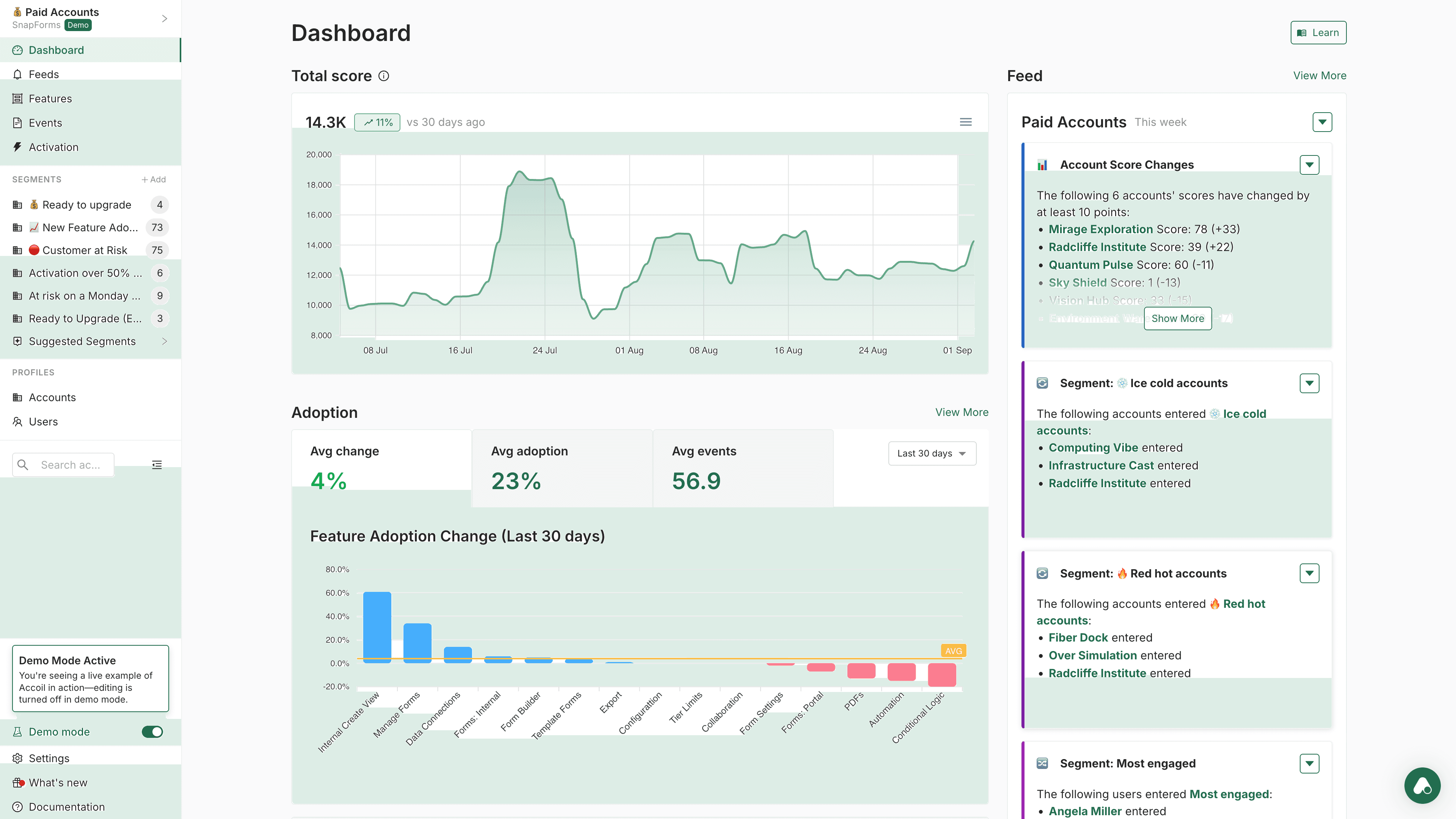
Where most analytics tools focus on products and events, Accoil focuses on accounts and outcomes. It's a customer health engine, not a general-purpose analytics sandbox. You aren't handed a blank canvas — you're given the metrics you need, already wired up to think in terms of activation, engagement, risk, and revenue.
Accoil answers the question: "How are my accounts doing?" – and then pipes the answer into your workflows.
Data Capture & Setup
Accoil is fast to set up. Connect a data source — Segment, RudderStack, API, or SDK — and it starts populating dashboards in minutes. You don't need to predefine every event or build a tracking schema from scratch. If your data already includes things like user_logged_in or project_created, Accoil will recognize and categorize them intelligently.
It also connects directly to your go-to-market tools — Salesforce, HubSpot, Slack, and more. So when an account hits an activation milestone, drops off, or looks ready for expansion, you don't need to check a dashboard — you get notified where you already work. Accoil doesn't just store data — it delivers it into your workflows.
Out-of-the-Box Metrics & Insights
Accoil comes with prebuilt SaaS-native metrics like:
- Activation Rate
- Engagement Score (0–100, weighted by action value and frequency)
- At-Risk Accounts
- Power Users & Accounts
- Account Retention Trends
And here's the differentiator: you don't need to analyze those charts to make sense of them.
Accoil uses AI to generate written summaries of account health — so your team doesn't have to do the interpretation themselves.
Instead of asking "What changed this month?", you'll get a straight answer: "Account X's engagement dropped 28%, driven by reduced usage of Feature Y."
This lets CS and sales teams get up to speed on an account instantly — no digging, no dashboards, no analysis paralysis. You know what's happening, and you can act.
Accoil also supports multiple engagement profiles out of the box — because "healthy" looks different for a free trial, a startup customer, or a large enterprise. You can easily define what good looks like at each lifecycle stage, and Accoil adjusts accordingly.
It's a flexible model, but the defaults are smart enough to work on day one.
B2B SaaS Fit
This is Accoil's native environment. Everything in the product revolves around accounts — account filters, account-level scoring, account segmentation. You're not hacking in group analytics — you're starting from it. And with deep CRM integration, you don't just see the health of your accounts — you sync it to the systems your GTM team already uses.
Accoil doesn't just support B2B workflows — it was built around them.
Use Case & Team Fit
Accoil is for operators. It's for CS managers, growth PMs, sales leaders, founders. People who don't have time to dig into event explorers but still want to know exactly how things are going — and what to do next.
Instead of starting from scratch, Accoil gives you a clear picture: who's active, who's stuck, who's drifting. If you want to dig deeper, you can — but you won't need to in order to get value. And because insights are delivered directly into tools like Slack or Salesforce, you don't need to train everyone on a new system — Accoil meets them where they are.
Pricing & Support
Pricing is transparent and startup-friendly. Support is hands-on: Slack channels, real people, real help. Accoil knows you're likely switching from something that worked — and they make the transition smooth. Onboarding help, guidance on tracking plans, and fast feedback are all part of the experience.
Bottom Line
Accoil builds on the foundation of fast setup, clear metrics, and a focus on B2B SaaS. It pushes further into actionability than other tools: deeper integrations, richer account health models, and AI-generated summaries that save your team time.
It's not trying to be everything — it focuses on helping go-to-market teams understand what's happening and so they can act on it.
If you need a system that thinks in accounts, talks in plain language, and fits into your existing workflows, Accoil is a strong fit — especially if you want clarity without complexity.
Better Together: Why do some teams pair Accoil with PostHog, Amplitude, or Mixpanel?
Here's a pattern we've seen work well:
Use PostHog, Mixpanel, or Amplitude for product analytics. Layer Accoil on top for customer engagement and GTM insights.
Here's how it works:
-
Accoil integrates cleanly with PostHog, Mixpanel, and Amplitude. You can send your event stream directly into Accoil — either in parallel, or through a connector like Segment or RudderStack. You don't have to stop using your current tools.
-
Accoil interprets the same data differently. Where PostHog, Mixpanel, or Amplitude show you funnels and event charts, Accoil shows you health scores, activation trends, and risk signals — at the account level.
-
You get the best of both worlds. Use PostHog, Mixpanel, or Amplitude for exploration and experimentation. Use Accoil for visibility and action — and send those insights straight to Salesforce, HubSpot, Slack, or wherever your team works.
PostHog
Overview
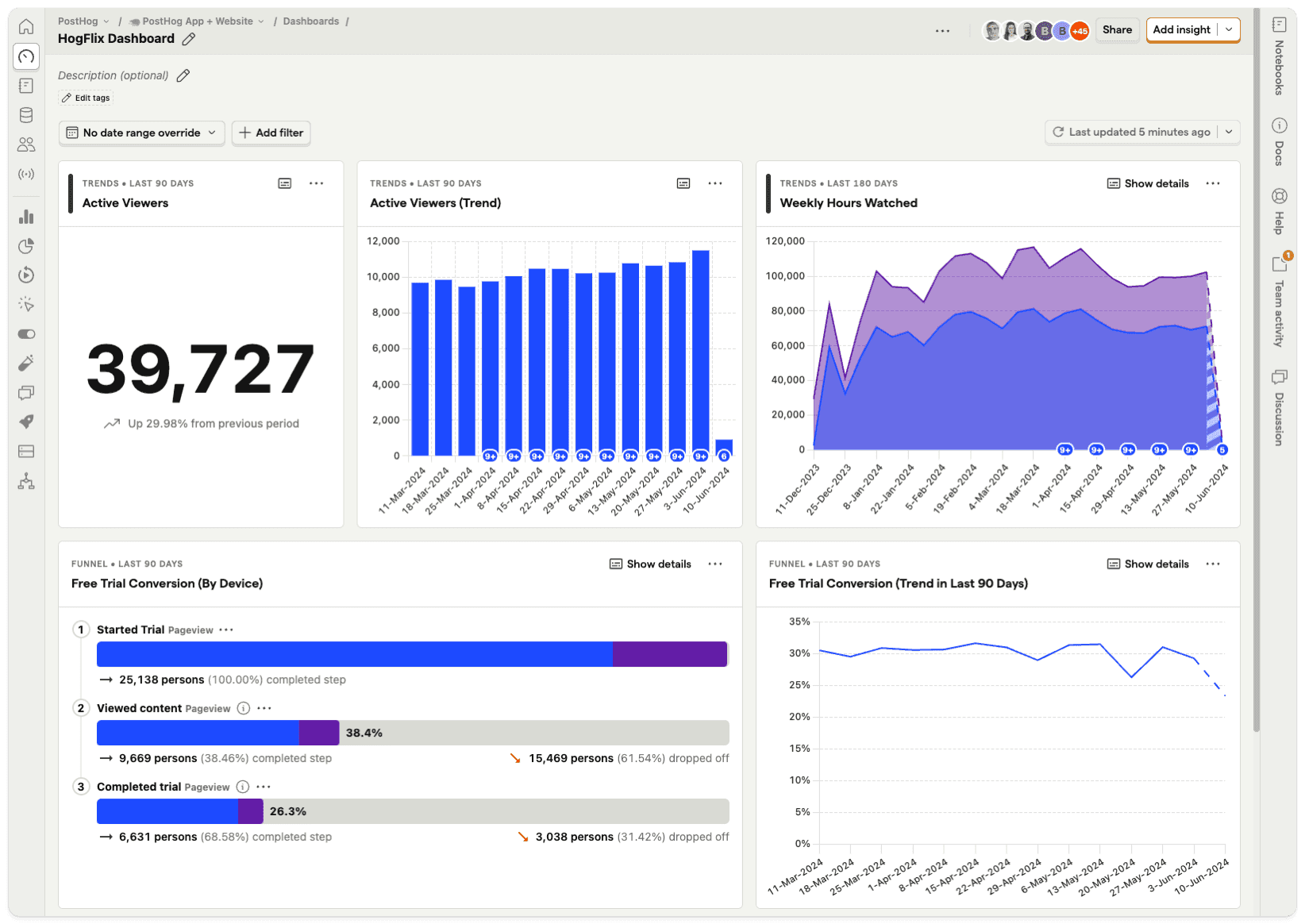
PostHog is an open-source analytics suite built for teams who want control. It covers the usual product analytics use cases — funnels, retention, paths — plus extras like feature flags, session replays, heatmaps, and A/B testing. You can self-host it or run it in the cloud. Either way, it's built for engineers who want flexibility, not templates. If you want a platform that does everything and lets you own the stack, PostHog's got range.
Data Capture & Setup
Getting data in is fast. Install the snippet or SDK and PostHog will start auto-capturing user interactions — clicks, pageviews, etc. — without needing to define every event upfront. You can also pipe in data from Segment, RudderStack, or your backend directly. Cloud setup is easy; self-hosting is more involved, but gives you full control. Either way, you'll get raw data quickly — but meaningful insights still take some work.
Out-of-the-Box Metrics & Insights
PostHog has improved here. You now get "Trends" suggestions and app templates for common use cases — like SaaS, mobile apps, and e-commerce. These help you get oriented and spin up useful dashboards.
You won't get account-level health or churn risk dashboards. PostHog doesn't auto-surface at-risk accounts or tell you who's slipping. It's still very much a toolkit — powerful, but DIY. If you like the idea of instant answers, this may not fit your needs.
B2B SaaS Fit
PostHog supports B2B use cases through its Group Analytics feature. It lets you group users by account or workspace and run company-level reports. But this is still a power-user feature, not a native B2B experience. You won't get a view of "how is this account doing?" without building it yourself. There's no opinionated structure around account health, no CS-facing dashboard, and no CRM sync unless you wire it up.
Use Case & Team Fit
PostHog works best for technical product teams. Engineers and data-savvy PMs will be right at home. But for CS or sales teams, there's a steep learning curve — no account dashboard, no clear engagement view, and no "just show me the top accounts" interface. You can build those views if you have the time. But out of the box, it's not designed for non-technical users.
Pricing & Support
PostHog has a generous open-source offering — you can self-host it for free, with full access to core analytics features. For teams that prefer managed infrastructure, the cloud-hosted version includes usage-based pricing, which scales with events captured and features used. Some advanced features — like Group Analytics (for B2B), feature flags, and session replay — are gated behind paid tiers.
Bottom Line
PostHog is a flexible, feature-rich platform for teams who want to own their analytics stack. It's a strong pick for deep product analytics, experimentation, and teams who like to build. But if your priority is B2B customer insight — especially for CS, sales, or support — you'll need to build that layer yourself or pair PostHog with a tool like Accoil.
Amplitude
Overview
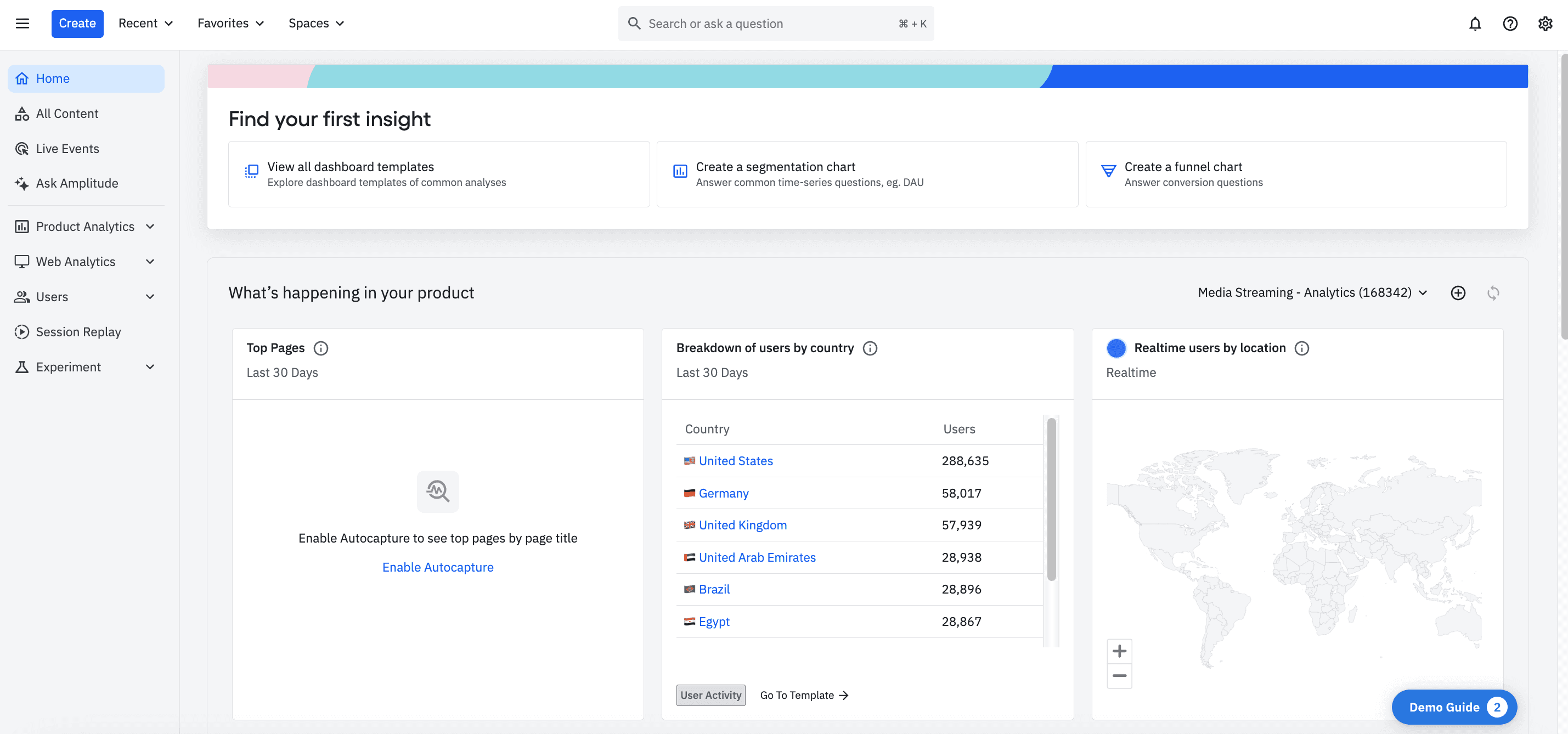
Amplitude is a heavyweight. It's the tool you get when you want to analyze everything — funnels, retention, cohorts, A/B tests, even predictive analytics — and you've got the team to build it all. It's powerful, flexible, and built to scale. But it comes with complexity. This is a product analytics engine, not a plug-and-play dashboard.
Data Capture & Setup
Setup isn't trivial. You'll need to define your events, instrument your app (or pipe in data via Segment), and manually build the dashboards you care about. Amplitude gives you tools, not finished metrics. There's no concept of "activated account" or "power user" unless you define it.
Out-of-the-Box Metrics & Insights
Amplitude doesn't give you metrics — it gives you a canvas. You won't see "Active Companies This Month" or "Accounts at Risk" unless you build them. There are templates and best-practice dashboards, and they help — especially for things like feature adoption and retention. But there are no built-in engagement scores, no churn signals, and no native account health views.
B2B SaaS Fit
Amplitude was built for B2C — and it shows. You can make it work for B2B, but you'll need to bend it. Group Analytics (Amplitude's way of tracking accounts) is a paid add-on, and even once it's enabled, you're still doing the heavy lifting. There's no native account view. No drift detection. No CS-facing workspace.
Bottom Line
Amplitude is the analytics engine you graduate to. It's fast, powerful, and built for teams that want full control — and have the people to run it. But it's not built for account-level health, customer engagement scoring, or cross-functional visibility. That's why many teams budget for two tools: Amplitude for exploration, and something like Accoil for clarity.
Pendo
Overview
Pendo isn't just an analytics tool — it's a product experience platform. It tracks what users do and gives you tools to act on it: in-app guides, surveys, feedback collection, even roadmaps. For teams that care about both visibility and engagement, that's a powerful combo.
Data Capture & Setup
Pendo is easy to install — drop in the snippet or SDK and it immediately starts capturing page views and basic interactions. You can tag events retroactively through a visual interface, which makes it feel flexible.
Out-of-the-Box Metrics & Insights
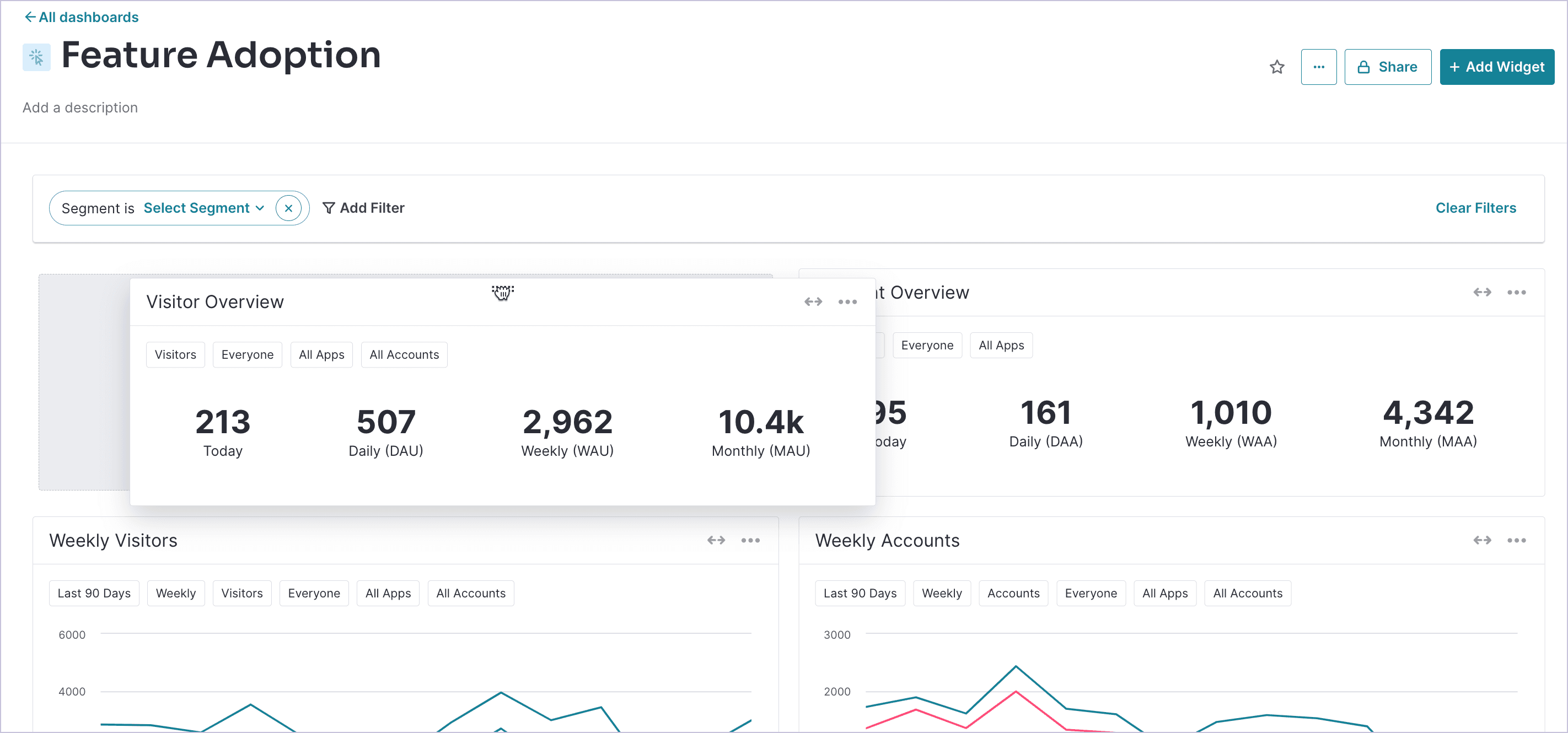
Pendo gives you more out of the gate than most. You get standard dashboards for usage and adoption, plus a Product Engagement Score (PES) — a composite metric based on adoption, stickiness, and growth. It's automatic, and at a glance, you can see how each account is trending.
B2B SaaS Fit
Pendo fits B2B well. Accounts are native, not bolted on. You can track both User ID and Account ID, and metrics roll up accordingly. It was built with subscription businesses in mind.
Bottom Line
Pendo is a solid choice if you want one system to track behavior and improve it. It's especially well-suited to B2B SaaS teams who care about retention, onboarding, and driving adoption — not just measuring it. Just be sure your budget, your timeline, and your team are ready for the commitment.
Heap
Overview
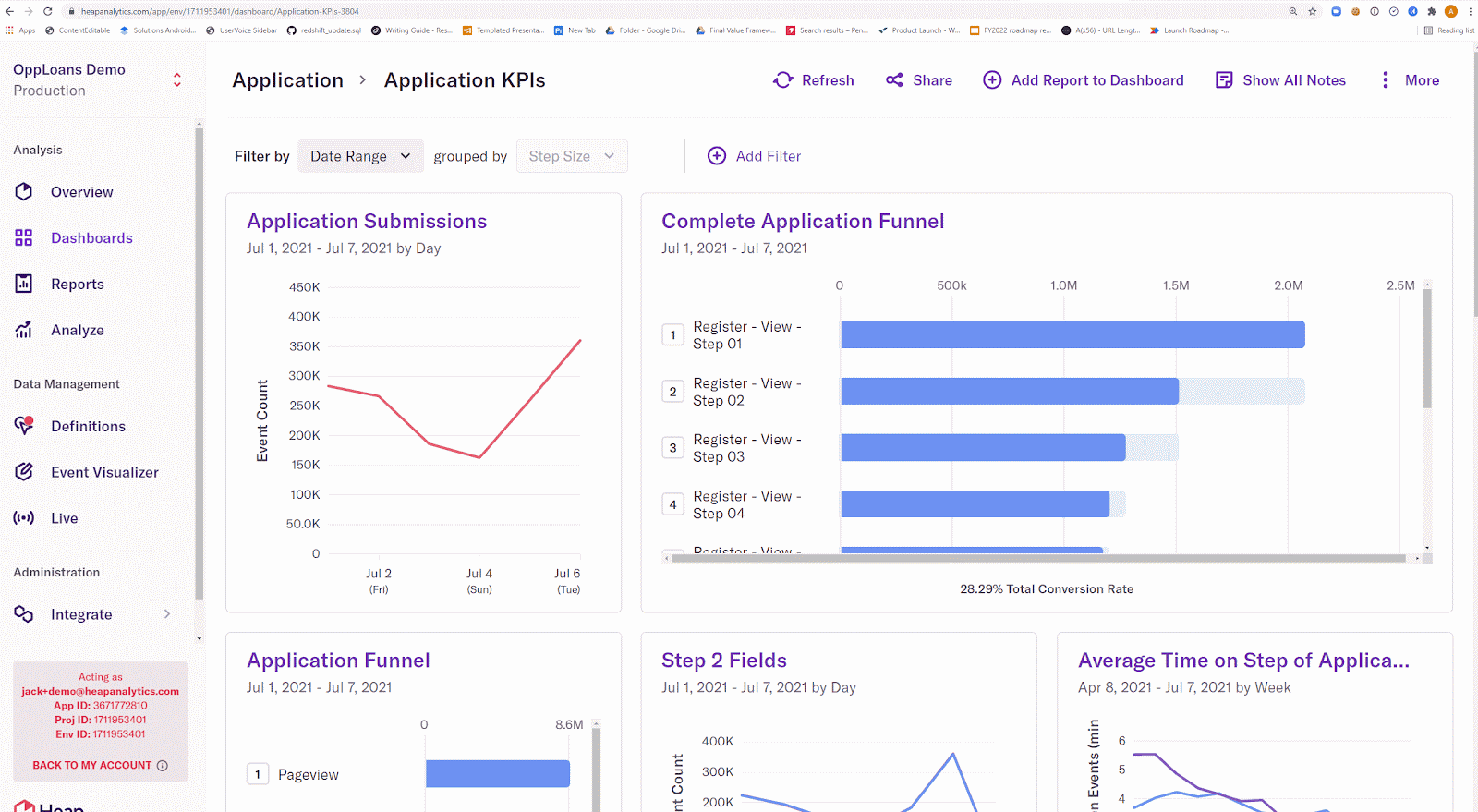
Heap takes a different tack from most analytics tools: capture everything first, decide what matters later. Clicks, swipes, form submissions, pageviews — Heap records it all by default. No tracking plan required.
Data Capture & Setup
Initial setup is fast — install the snippet or SDK and Heap starts logging user activity right away. No code changes needed to capture clicks or pageviews. Defining meaningful events happens after the fact, through a point-and-click UI.
Out-of-the-Box Metrics & Insights
Heap doesn't come with a ready-made SaaS dashboard. There's no "Active Companies This Month" or "Accounts at Risk" view out of the box. Instead, you'll use its modules — funnels, retention, paths, engagement — to build your own reports.
B2B SaaS Fit
Heap wasn't designed with B2B in mind, but it can handle it. You can track Account IDs, group users, and filter reports at the account level. But accounts aren't a native entity — there's no default company dashboard, no health score, no drift detection.
Bottom Line
Heap is for teams that want full visibility and the flexibility to define their own metrics on their own terms. If your frustration with past tools was "we forgot to track that," Heap will feel like a safety net.
Mixpanel
Overview
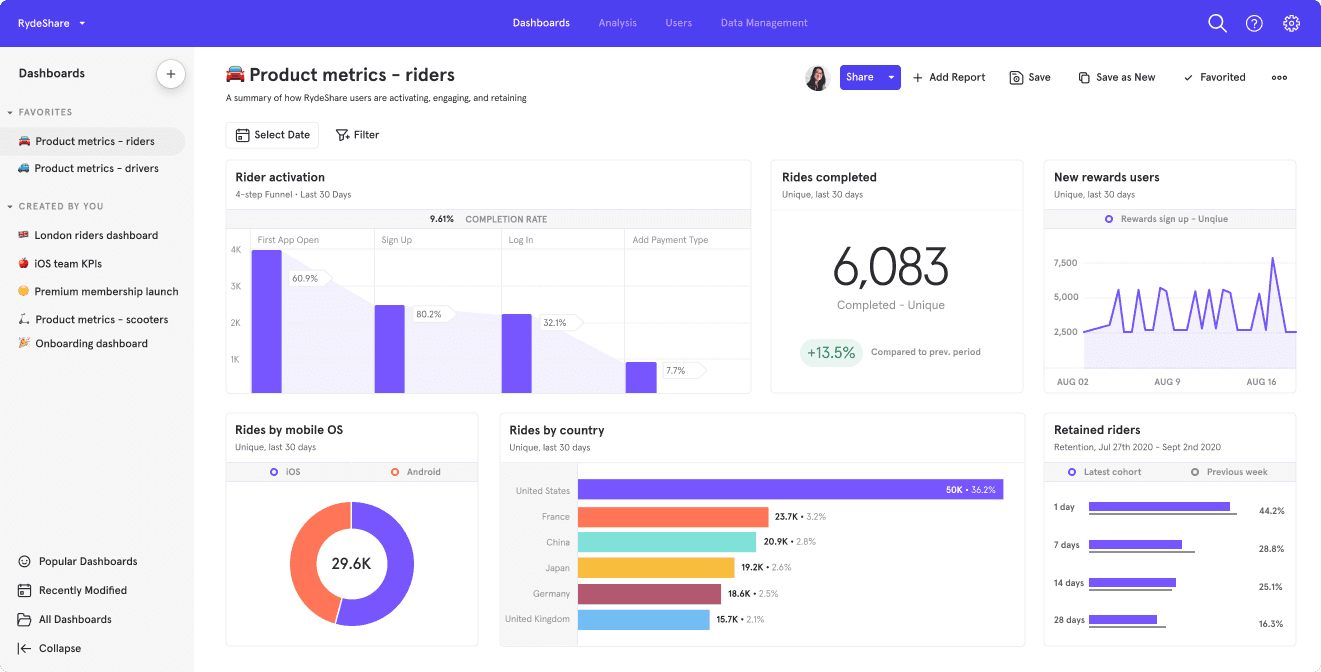
Mixpanel is one of the originals in event-based analytics — launched in 2009 and still widely used across SaaS, mobile, and consumer apps. It's a powerful, flexible platform for tracking funnels, retention, and user behavior.
Data Capture & Setup
Mixpanel requires instrumentation. You'll need to send events via their SDKs or a pipeline like Segment. Once the data is flowing, Mixpanel offers helpful templates — like "Activation Funnel" or "Retention Overview" — but you'll still have to define what counts as "activated" or "retained" for your product.
Out-of-the-Box Metrics & Insights
Mixpanel gives you basic starter dashboards — top events, retention curves — and in some plans, automated insight surfacing that highlights behavioral correlations. You won't get built-in customer health metrics, at-risk account alerts, or auto-generated B2B dashboards.
B2B SaaS Fit
Mixpanel supports B2B use cases through Group Analytics, which lets you aggregate user activity by properties like company_id. This is only available on Growth and Enterprise plans, and is a paid addon.
Bottom Line
Mixpanel is a solid, flexible product analytics tool. It gives you the freedom to track and explore whatever matters — as long as you're ready to define it yourself. For B2B SaaS, Mixpanel can support account-level analytics — but only on paid plans, and as a paid add-on.
What job are you hiring your analytics tool to do?
Think about the job you're hiring analytics to do. When you start there, you can find your best.
If your team needs straight product analytics with funnels and feature usage, look at Posthog, Mixpanel, Amplitude, or Heap.
If your teams are looking for customer insights like account health, engagement scores, and drift detection, look at Accoil or Pendo.
And if you want it all, you want both product analytics and customer insights, consider adding Accoil to Posthog, Mixpanel, or Amplitude.